My Beats 360 Experiment
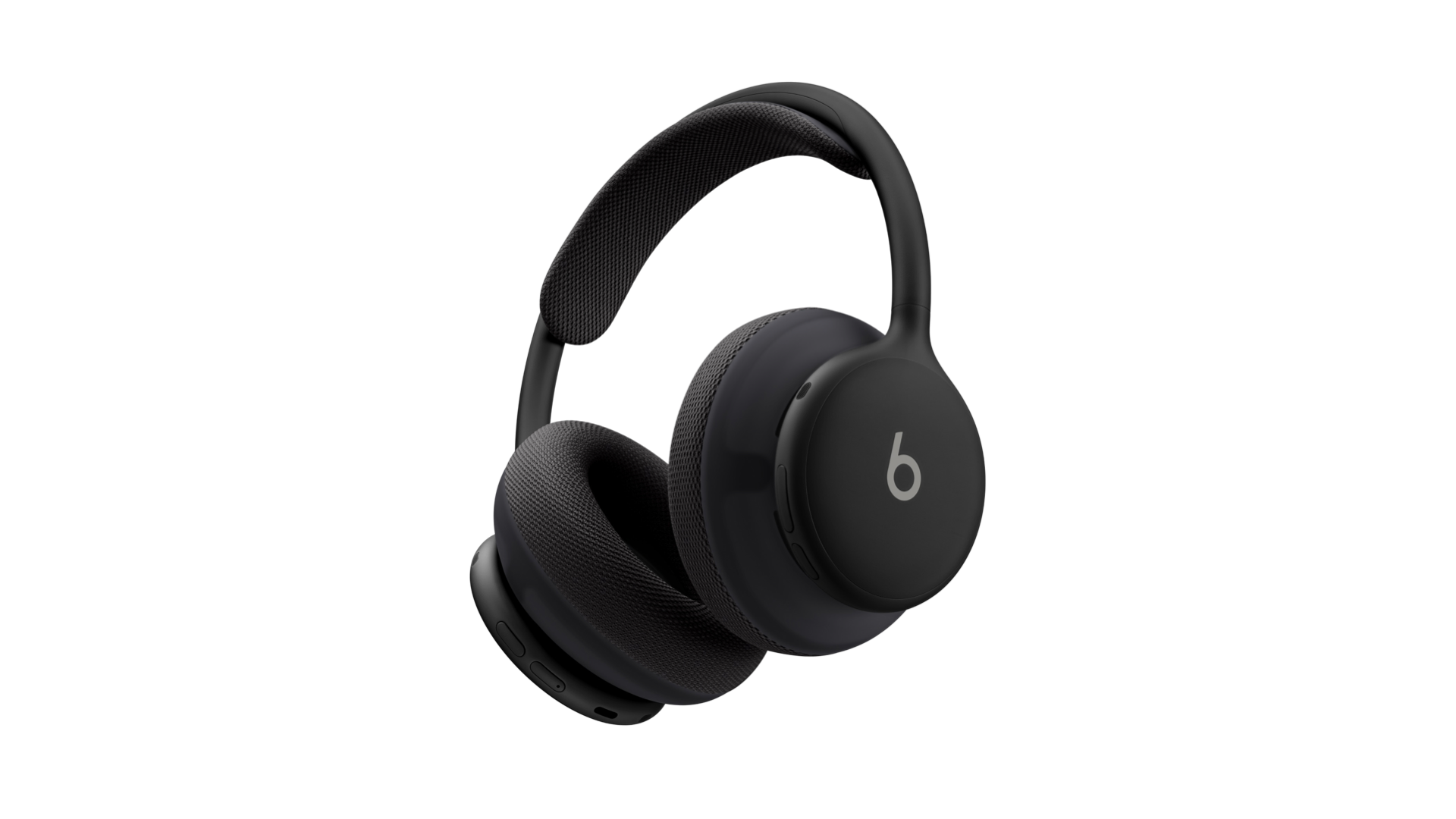
Last week, after months of teasing, Beats announced their new flagship headphones: Beats 360. They feature the company’s best over-ear sound and active noise cancellation ever, as well as interchangeable ear cups and headbands so you can change the color and material of your headphones in just a few seconds. They’re also the company’s first ever water- and sweat-resistant headphones, making them ideal for those who want to wear over-ears while working out.
I was intrigued by the look of the Beats 360 from the moment I first saw them being used by athletes at the World Cup. While breaking out of the traditional Beats design mold, they still carry the company’s iconic aesthetic while incorporating some higher-end touches borrowed from Apple’s AirPods Max. (Beats is an Apple subsidiary and collaborates with the company on audio products.) The various color combinations make space for tons of expression while still offering subtler options for people like me who prefer not to stand out.
The design won me over before the 360s were ever announced, but the technical details really closed the deal for me. While these headphones don’t include Apple’s H2 audio chip, the Beats team did manage to incorporate a lot of the H2’s niceties into Beats 360 – not only for Apple users, but for Android users as well. Regardless of your ecosystem of choice, the headphones feature one-touch pairing with all of your devices via the cloud, automatic switching when you move from one device to the other, and location tracking. This marks the first time a proprietary chip from Beats has included AirPods-style device switching, which is exciting to see.
Between the design, the ecosystem integration, and positive early reviews about the headphones’ sound quality and comfort, I knew I had to try them. Because they’ve been so long in the works, I was able to pick them up locally on release day (unheard of where I live) at Target. I’ve been testing them since last Thursday, pretty much wearing them non-stop as my daily drivers for both regular use and exercise. I wanted to find out if Beats 360 could be the one pair of headphones for every aspect of my life.
There is so much to love about these things. Their design is downright stunning in person. The build quality is the best I’ve ever seen in a Beats product, even better than my beloved Beats Solo Pro from a few years back. The ripstop case with its magnetic seal is a great way to carry them around. Whether I was wearing them on my head or around my neck, the Beats 360 felt like a great accessory to wear. I don’t know what it is about headphones, but wearing them just makes me feel like me; it’s the look I want every day.
Sound quality and active noise cancellation are similarly excellent. Coming from AirPods Pro and Beats Solo 4, the 360s offer a lot more in terms of volume and punch without sacrificing clarity, and the ANC made my noisy workplace feel perfectly peaceful.
My only complaint about the sound is a persistent hiss coming from the speakers anytime the headphones are turned on. Whether I was using noise cancellation, transparency mode, or neither, the white noise was constantly there. When I was listening to music, I didn’t notice it, but it was definitely irritating when I was wearing the headphones simply for ANC. Based on impressions I’ve read from other Beats 360 users on social media, the hiss seems to be a widespread but not universal problem.
When it comes to software, Beats 360 don’t offer as smooth of an experience as I was expecting. They did pair instantly with my phone and other devices (though I did have to re-pair them after a day-one firmware update), but the auto-switching feature is finicky at best. If was listening to a podcast on my phone and started playing a video on my iPad, the headphones would switch over, but they wouldn’t reliably switch back to my iPhone if I started playing the podcast again once the video was over.
Even worse, the headphones would often switch away from a device that was playing audio to one that wasn’t playing anything at all. The 360s also don’t offer a quick option to move back to a device if they switch erroneously, the way AirPods do. I may be spoiled by how good the AirPods’ H2 chip is at handling automatic device switching, but I found the Beats 360 version to be unreliable and thus not all that useful.
The biggest question of all in my testing was comfort. I’ve tried several different noise-cancelling over-ear headphone models from Apple in the past, and each of them gave me splitting headaches due to the clamping force needed to create a good seal. Could Beats 360 break that trend with their unique materials and weight distribution? Kind of.
Beats 360 are certainly the most comfortable noise-cancelling headphones I’ve ever worn. With the Performance Knit (cloth) cushions, the headphones did not give me instant headaches, but the pressure did eventually get to me during longer sessions. I found the UltraPlush (faux leather) cushions less comfortable and more pain-inducing.
I am an outlier when it comes to headphone comfort because I’m particularly sensitive to them for whatever reason. Beats 360 might have crossed the line into comfortable territory for me if I’d given them more time to break in. They were really close.
But as I was considering all of these factors together and whether they added up to the right headphones for me, something happened that instantly shifted my thinking on it all: I put on my AirPods Pro 3.
It had been nearly a week since I used the AirPod because I really wanted to give the Beats 360 a fair try. As soon as I put them in my ears, I remembered all the things I love about them. Their sound quality and noise cancellation, while not quite as good as the 360s, are incredible for their compact size. They’re easy to carry around, they’re so comfortable that I forget I’m wearing them, and they include the very best wireless audio technology Apple has to offer without any tradeoffs.
All my testing revealed that I already had the right product for me. The AirPods Pro are perfect in every way – except for the fact that they aren’t over-ear headphones. Giving up that form factor is hard for me, but I have to go with the product that works the way I need it to, not the one I’d like in an ideal world.
At the end of the day, for my use case, the spectacular design, sound quality, and noise cancellation of the Beats 360 couldn’t outweigh the hissing, auto-switching bugs, and potential comfort issues, especially not when I already have the incredible AirPods Pro 3 at hand. I still think they’re great headphones for wearing to the gym or for those who want more expressivity in their headphones, and I recommend trying them if you’re interested because they do have some great qualities. They just aren’t for me.
I’m glad I experimented with the Beats 360 for a few reasons:
- I had an awesome time with them, especially taking them out for a run with a great soundtrack.
- They gave me hope that I might one day be able to wear over-ear headphones comfortably.
- They affirmed that my current setup (AirPods Pro 3 with the occasional switch to Beats Solo 4) is the right one for me – for now.
My heart will always long for the perfect over-ear headphones, but my ears belong to AirPods Pro. That’s just the way it is. For everyone else, Beats 360 are a great addition to the Beats/extended Apple audio lineup. If you’re in the market for some stylish over-ears, give them a try. And if you’re happy with the setup you’ve got, well, that’s great, too.